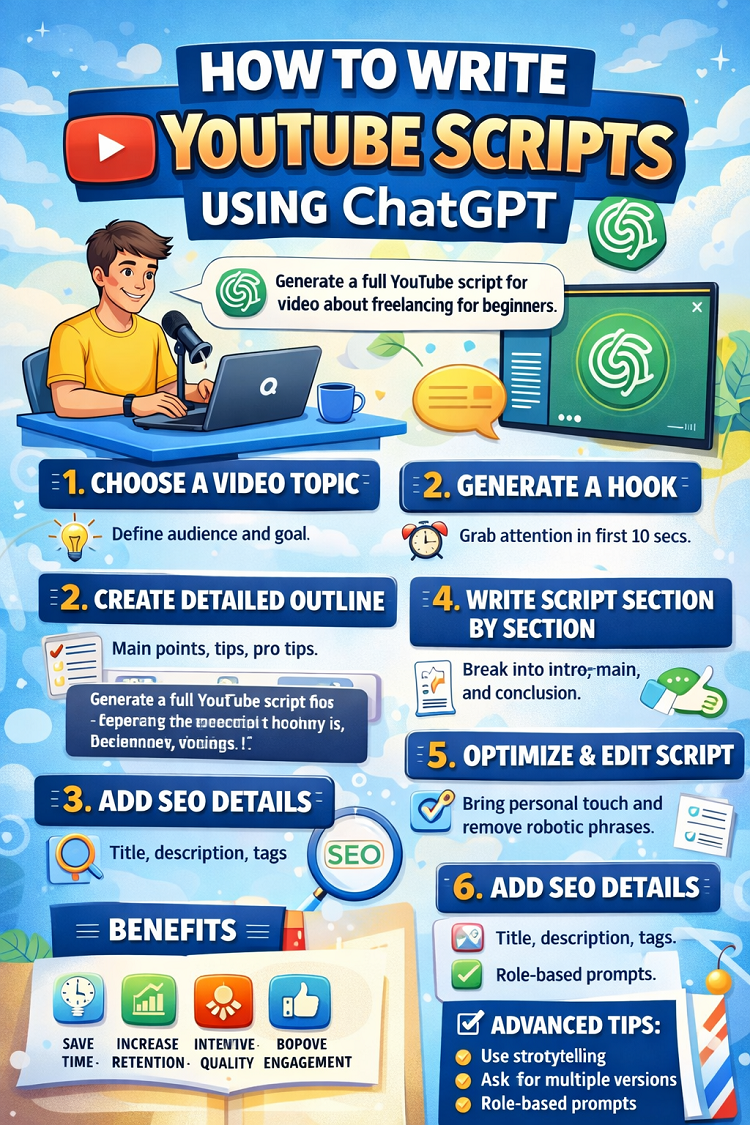
How to Write YouTube Scripts Using ChatGPT
Creating engaging YouTube videos is not just about having a camera and good editing skills. The real backbone of every successful video is a well-written script. A powerful script keeps viewers watching, increases retention, improves engagement, and helps your channel grow faster.
Today, creators are using AI tools like OpenAI’s ChatGPT to write better scripts in less time. Whether you run an educational channel, a tech review channel, a faceless automation channel, or a motivational page, ChatGPT can become your personal scriptwriting assistant.
In this detailed guide, you will learn step-by-step how to write professional YouTube scripts using ChatGPT, even if you are a beginner.
Why YouTube Scripts Are Important
Many new creators skip scriptwriting and start recording directly. This leads to:
-
Rambling content
-
Long, boring introductions
-
Repeated information
-
Weak call-to-action
-
Low audience retention
A proper script helps you:
-
Stay focused
-
Save recording time
-
Increase watch time
-
Deliver value clearly
-
Sound more professional
Even top creators on YouTube use structured scripting methods.
What is ChatGPT and How Does It Help?
ChatGPT is an AI-powered writing assistant that helps generate content ideas, outlines, full scripts, hooks, and even SEO descriptions.
With the right prompts, you can use ChatGPT to:
-
Generate video ideas
-
Create catchy hooks
-
Write complete scripts
-
Rewrite boring content
-
Improve tone and clarity
-
Add storytelling elements
But remember — ChatGPT is a tool, not a replacement for your creativity. The best results come when you guide it properly.
Step 1: Choose a Clear Video Topic
Before asking ChatGPT to write anything, you must define:
-
Target audience (students, beginners, business owners, etc.)
-
Video goal (educational, entertainment, tutorial)
-
Video length (5 min, 10 min, 15 min)
Example Topic:
“How to Make Money with Freelancing for Beginners”
Now you can prompt ChatGPT clearly:
“Write a 10-minute YouTube script for beginners explaining how to start freelancing, include hook, intro, main points, and conclusion.”
Clear instructions = better script.
Step 2: Generate a Strong Hook
The first 10–20 seconds of your video decide whether viewers stay or leave.
You can ask ChatGPT:
“Write 5 powerful YouTube hooks for a video about freelancing for beginners.”
Example Hooks:
-
“What if I told you that you can start earning online this week with zero investment?”
-
“Most students think freelancing is difficult but today I’ll prove it’s not.”
-
“I wish someone had told me this before I wasted 6 months trying to earn online.”
Choose the best hook and adjust it to your personality.
Step 3: Create a Structured Outline
Before writing the full script, generate an outline.
Prompt example:
“Create a structured outline for a 12-minute YouTube video about starting a YouTube automation channel.”
A good outline includes:
-
Hook
-
Introduction
-
Problem
-
Solution steps
-
Common mistakes
-
Pro tips
-
Call to action
Once the outline looks good, then ask ChatGPT to expand each section.
Step 4: Write the Full Script Section by Section
Instead of asking ChatGPT to write everything at once, break it down.
Example:
Prompt 1:
“Write the introduction section in a conversational tone.”
Prompt 2:
“Now write the main steps with detailed explanation and examples.”
Prompt 3:
“Write a strong conclusion with motivational tone and call-to-action.”
This method produces more natural results.
Step 5: Add Storytelling for Engagement
Storytelling increases watch time dramatically.
Ask ChatGPT:
“Add a short relatable story in the beginning about a student struggling to earn online.”
Stories create emotional connection.
Example:
“Ali was a university student who wanted to support his family, but he had no idea where to start…”
This makes your script more human.
Step 6: Optimize Script for Retention
Retention is everything on YouTube.
You can tell ChatGPT:
“Improve this script to increase audience retention and remove boring parts.”
Retention tips:
-
Use short sentences
-
Ask questions
-
Add curiosity gaps
-
Tease upcoming points
Example:
“Make sure you watch till the end because I’ll reveal the biggest mistake beginners make.”
Step 7: Add Natural Call-to-Action (CTA)
Avoid robotic CTAs like:
“Please like, comment, and subscribe.”
Instead ask ChatGPT:
“Write a soft and natural YouTube call-to-action.”
Example:
“If you found this helpful, subscribe so you don’t miss the next video where I’ll show you real earning proof.”
Step 8: Adjust Tone and Style
ChatGPT can write in different tones:
-
Friendly
-
Professional
-
Motivational
-
Storytelling
-
Educational
-
Casual
Prompt example:
“Rewrite this script in a friendly and conversational tone like I’m talking to a friend.”
or
“Make this script more energetic and motivational.”
Step 9: Edit and Humanize the Script
Never copy-paste directly.
Always:
-
Add your personal experience
-
Change some sentences
-
Add real examples
-
Remove robotic phrases
AI gives structure. You add personality.
Step 10: SEO Optimization for YouTube
ChatGPT can also help with SEO.
Ask:
“Generate SEO optimized YouTube title, description, and tags for this script.”
This improves discoverability.
Example outputs:
-
Catchy title
-
Keyword-rich description
-
Search-friendly tags
Types of YouTube Scripts You Can Create Using ChatGPT
1. Educational Scripts
Step-by-step tutorials and guides.
2. Motivational Videos
Success stories and life lessons.
3. Faceless YouTube Automation Scripts
AI-generated voiceover content.
4. Tech Reviews
Detailed product explanation scripts.
5. Finance & Online Earning Scripts
Highly popular niche.
Common Mistakes to Avoid
1. Using Weak Prompts
Bad prompt = bad script.
Instead of:
“Write script about freelancing.”
Use:
“Write a 10-minute YouTube script for beginners explaining freelancing step-by-step with examples and mistakes to avoid.”
2. Not Editing AI Output
Always refine the script.
3. Overcomplicating Language
Keep sentences simple and conversational.
4. Ignoring Audience Level
Beginner audience needs simple explanation.
Advanced Tips for Better Results
1. Use Role-Based Prompts
Example:
“Act as a professional YouTube scriptwriter with 10 years of experience and write a high-retention script about affiliate marketing.”
This improves quality significantly.
2. Ask for Multiple Versions
Ask ChatGPT:
“Give me 3 different intro styles.”
Then choose the best one.
3. Improve Emotional Impact
Prompt:
“Add emotional triggers and curiosity in this script.”
4. Break Script into Scenes
Especially useful for faceless channels.
Prompt:
“Divide this script into scenes and suggest visuals for each part.”
Example Mini Script Structure
Here’s a simple 8-minute format:
Hook (20 sec)
Attention-grabbing statement.
Intro (40 sec)
Introduce topic + credibility.
Main Content (5–6 min)
Step-by-step value.
Bonus Tip (1 min)
Extra valuable insight.
CTA (30 sec)
Encourage engagement.
This structure works in almost every niche.
How Much Time Can ChatGPT Save?
Without AI:
-
2–4 hours writing
With ChatGPT:
-
30–60 minutes drafting
-
20–30 minutes editing
Huge productivity boost.
Can You Monetize AI-Written Scripts?
Yes. YouTube allows AI-assisted content as long as:
-
It provides value
-
It’s not misleading
-
It follows community guidelines
Many creators successfully monetize AI-assisted channels on YouTube.
Final Thoughts
Writing YouTube scripts doesn’t have to be stressful anymore. With tools like ChatGPT from OpenAI, students, beginners, and even professionals can create high-quality scripts faster and more efficiently.
However, success still depends on:
-
Creativity
-
Consistency
-
Storytelling
-
Editing skills
-
Understanding your audience
Use ChatGPT as your assistant not your replacement.
Start practicing today. Experiment with prompts. Improve with every video.
Because on YouTube, the creators who combine strategy + storytelling + smart tools are the ones who grow the fastest.
