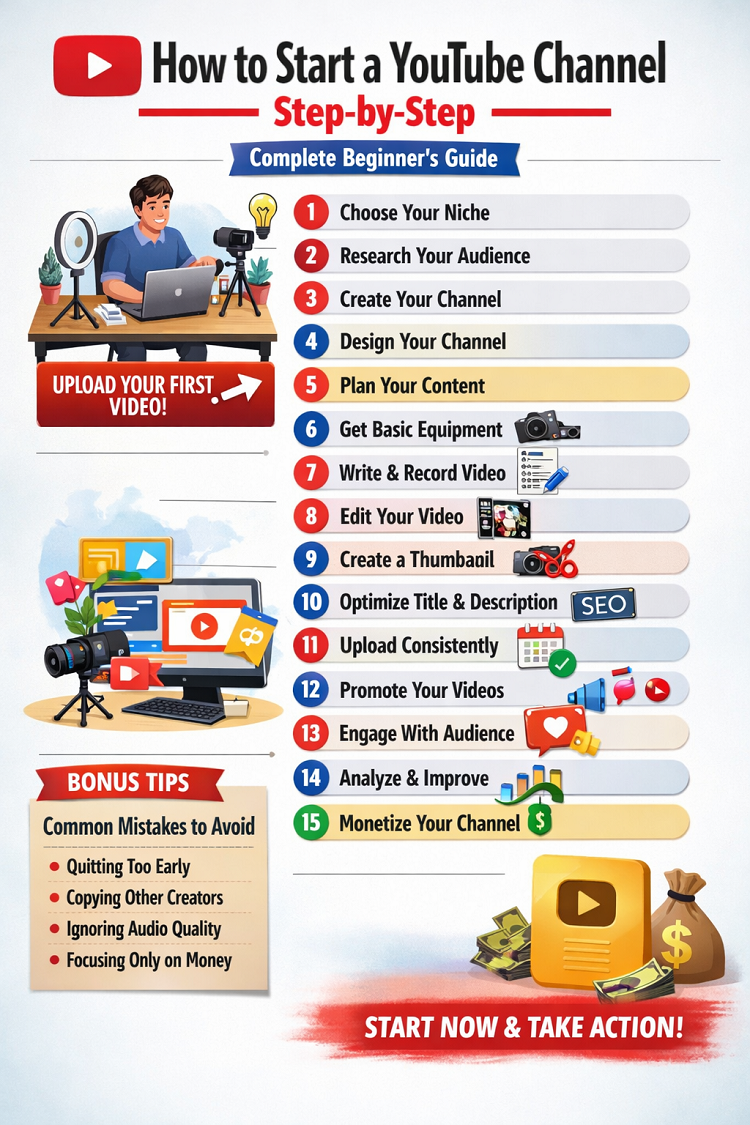
How to Start a YouTube Channel Step-by-Step (Complete Beginner’s Guide)
Starting a YouTube channel is one of the most powerful ways to share your ideas, build a personal brand, and even earn money online. Whether you want to create educational videos, entertainment content, tech reviews, vlogs, gaming videos, or tutorials, YouTube offers unlimited opportunities. However, many beginners feel confused about where to start, what equipment they need, and how to grow their channel.
This detailed step-by-step guide will walk you through everything you need to know to start a successful YouTube channel from scratch.
Step 1: Choose Your Niche (Your Channel Topic)
The first and most important step is choosing your niche. A niche is the main topic or category of your channel. Instead of creating random videos about everything, focus on a specific area.
Why Choosing a Niche Is Important
-
Helps attract a targeted audience
-
Makes your channel look professional
-
Increases chances of growth
-
Builds authority in one area
Popular YouTube Niches
-
Technology reviews
-
Gaming
-
Educational tutorials
-
Finance and online earning
-
Cooking and recipes
-
Fitness and health
-
Travel vlogs
-
Motivation and self-improvement
-
Beauty and fashion
Choose something you are passionate about. If you enjoy the topic, you will stay consistent. Consistency is key to success on YouTube.
Ask yourself:
-
What do I enjoy talking about?
-
What skills do I have?
-
What problems can I solve for others?
Step 2: Research Your Target Audience
Before uploading your first video, understand who you are creating content for.
Identify Your Audience
-
Age group
-
Interests
-
Problems they face
-
What type of videos they watch
For example, if you create tech tutorials for beginners, your audience might be students or non-technical users.
Study Competitors
Search for similar channels in your niche. Analyze:
-
What type of videos perform well?
-
Which topics get more views?
-
What kind of thumbnails do they use?
-
How long are their videos?
Do not copy others. Learn from them and create better content.
Step 3: Create Your YouTube Channel
Now it’s time to create your channel.
How to Create a YouTube Channel
-
Sign in to YouTube with your Google account.
-
Click on your profile picture.
-
Select “Create a Channel.”
-
Choose your channel name.
-
Add a profile picture and banner image.
Choosing a Good Channel Name
Your channel name should:
-
Be easy to remember
-
Be short and simple
-
Reflect your niche
For example:
-
TechWithAli
-
DailyFitnessTips
-
LearnWithSara
Step 4: Design Your Channel Professionally
Your channel should look attractive and professional.
Important Design Elements
-
Profile Picture – Clear and high-quality image.
-
Channel Banner – Shows your niche and upload schedule.
-
About Section – Write a clear description of what your channel offers.
In your “About” section:
-
Explain what viewers will learn.
-
Mention how often you upload.
-
Add relevant keywords naturally.
Example:
“This channel helps beginners learn freelancing, blogging, and online earning step-by-step. New videos every week.”
Step 5: Plan Your Content Strategy
Without a plan, most channels fail. You need a content strategy.
Create a Content Plan
-
List 20–30 video ideas in your niche.
-
Mix beginner-friendly and advanced topics.
-
Focus on solving problems.
For example, if your niche is online earning:
-
How to Start Freelancing
-
Best Websites for Beginners
-
How to Get Your First Client
-
Mistakes to Avoid
Use Keyword Research
Search YouTube for your topic and check:
-
Auto-suggestions
-
Related searches
-
Popular videos
Create videos around topics people are actively searching for.
Step 6: Get Basic Equipment
You don’t need expensive equipment to start.
Minimum Requirements
-
Smartphone or basic camera
-
Microphone (audio quality is very important)
-
Basic lighting (natural light works fine)
-
Simple video editing software
Recommended Tools
-
Smartphone with good camera
-
Lavalier mic for clear voice
-
Ring light or window light
-
Free editing software like CapCut, DaVinci Resolve, or VN Editor
Remember: Content is more important than expensive gear.
Step 7: Write a Script and Record Your Video
Before recording, prepare a script or outline.
Why Script Is Important
-
Keeps you focused
-
Reduces mistakes
-
Saves editing time
Basic Video Structure
-
Hook (First 10–20 seconds)
-
Introduction
-
Main Content
-
Summary
-
Call to Action
Example Hook:
“In this video, I will show you how to start a YouTube channel step-by-step, even if you are a complete beginner.”
Speak clearly and confidently. Practice if necessary.
Step 8: Edit Your Video Professionally
Editing makes your video more engaging.
Basic Editing Tips
-
Remove unnecessary pauses
-
Add background music (low volume)
-
Use text overlays for important points
-
Add transitions smoothly
-
Keep videos engaging
Avoid too many effects. Keep it clean and simple.
Step 9: Create an Attractive Thumbnail
Thumbnail is extremely important. It decides whether someone clicks your video or not.
Thumbnail Tips
-
Use large, bold text
-
Use high contrast colors
-
Add expressive facial reactions (if showing face)
-
Keep it simple
Avoid too much text. 3–5 words are enough.
Step 10: Write SEO-Friendly Title and Description
YouTube is a search engine. SEO (Search Engine Optimization) helps your video rank.
Title Tips
-
Include main keyword
-
Make it clear and attractive
-
Avoid clickbait
Example:
“How to Start a YouTube Channel Step-by-Step (Beginner Guide 2026)”
Description Tips
-
Write at least 200–300 words
-
Include keywords naturally
-
Add timestamps
-
Add social media links
Step 11: Upload Consistently
Consistency builds trust.
Create a Schedule
-
Once a week
-
Twice a week
-
Or every 3 days
Choose a schedule you can maintain long-term.
Do not upload 5 videos in one week and then disappear for one month.
Step 12: Promote Your Videos
Don’t rely only on YouTube’s algorithm.
Promotion Methods
-
Share on Facebook groups
-
Post on Instagram
-
Share in WhatsApp groups
-
Use Pinterest
-
Create short clips (YouTube Shorts)
Short-form content can bring new subscribers quickly.
Step 13: Engage With Your Audience
Reply to comments. Ask questions in your videos. Build a community.
Example:
“Comment below what type of videos you want next.”
The more engagement your video gets, the better YouTube promotes it.
Step 14: Analyze and Improve
Use YouTube Studio to track:
-
Watch time
-
Click-through rate (CTR)
-
Audience retention
-
Subscriber growth
If people stop watching at 30 seconds, improve your intro.
Learn from your analytics and improve every video.
Step 15: Monetize Your Channel
Once you reach:
-
1,000 subscribers
-
4,000 watch hours (last 12 months)
You can apply for the YouTube Partner Program.
Other Monetization Methods
-
Affiliate marketing
-
Sponsorships
-
Selling digital products
-
Freelance services
-
Online courses
YouTube can become a full-time income source if done correctly.
Common Mistakes to Avoid
-
Quitting too early
-
Copying other creators
-
Ignoring audio quality
-
Uploading without planning
-
Focusing only on money
Remember, growth takes time. Most successful YouTubers struggled in the beginning.
Final Thoughts
Starting a YouTube channel may seem difficult at first, but if you follow the right steps, stay consistent, and focus on providing value, you can build a successful channel.
Let’s quickly recap:
-
Choose a niche
-
Research audience
-
Create and design your channel
-
Plan content
-
Record and edit videos
-
Optimize with SEO
-
Stay consistent
-
Promote and engage
-
Analyze and improve
-
Monetize smartly
You don’t need perfect equipment. You don’t need to be an expert. You just need to start.
The best time to start a YouTube channel was yesterday. The second best time is today.
