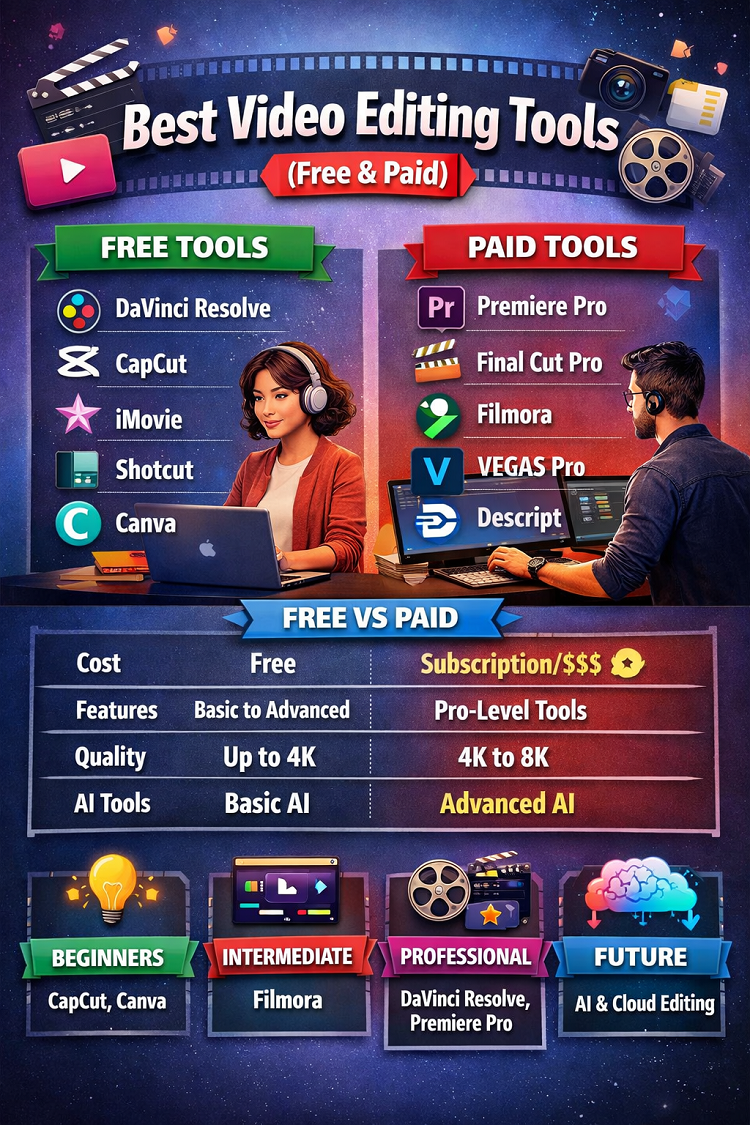
🎬 Best Video Editing Tools (Free & Paid)
📌 Introduction
Video editing has become one of the most important digital skills in 2026. With platforms like YouTube, TikTok, Instagram Reels, and online courses booming, video content is everywhere.
The good news? You don’t need expensive software to get started. Many free tools now offer professional-level features, including AI-powered editing, automatic subtitles, and advanced color grading.
However, paid tools still dominate when it comes to performance, stability, and advanced features like motion graphics and 8K export.
🆓 Best Free Video Editing Tools
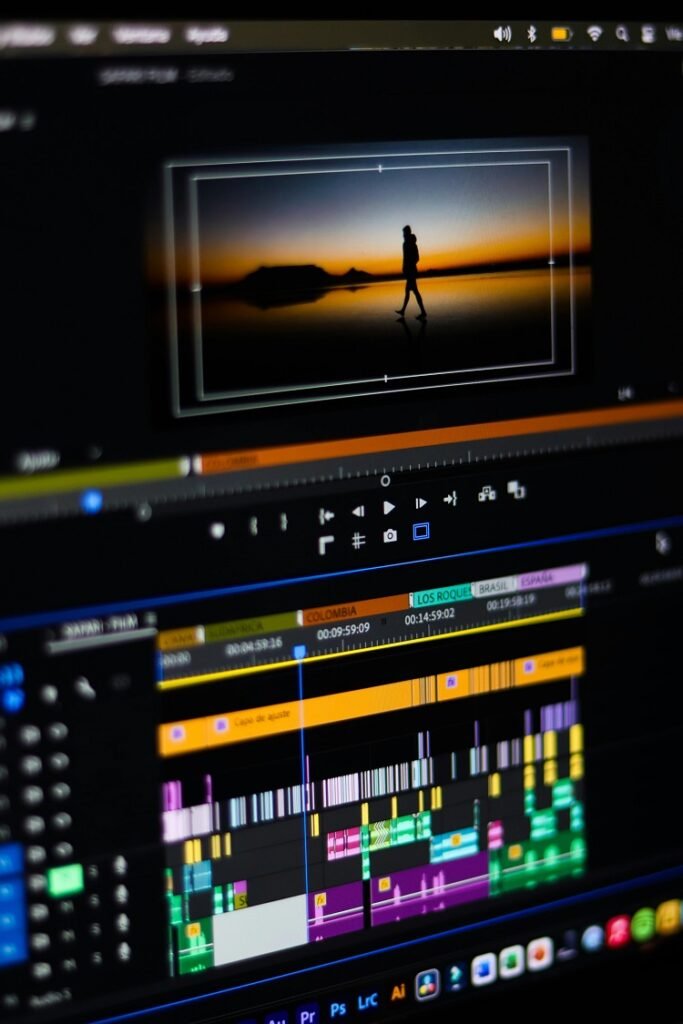
Let’s start with the top free video editing software that you can use without spending a single dollar.
1. DaVinci Resolve (Best Free Professional Tool)
Overview:
DaVinci Resolve is widely considered the most powerful free video editor available today. It is used in Hollywood productions and offers professional-grade tools.
Key Features:
- Advanced color grading (industry-leading)
- Multi-track editing timeline
- Visual effects (Fusion)
- Professional audio editing (Fairlight)
- Supports 4K editing
Pros:
- Completely free with no watermark
- Used in professional filmmaking
- All-in-one editing suite
Cons:
- High system requirements
- Steep learning curve
👉 According to recent updates, it even includes AI tools like noise reduction and skin smoothing, making it competitive with paid software.
Best For:
Serious creators, YouTubers, filmmakers
2. CapCut (Best for Beginners & Social Media)
Overview:
CapCut is one of the easiest and fastest video editors, especially popular for TikTok and short-form content.
Key Features:
- Drag-and-drop editing
- Auto captions
- Trending templates
- AI effects & filters
- Mobile + desktop support
Pros:
- Beginner-friendly
- Tons of free effects
- Fast editing workflow
Cons:
- Limited advanced features
- Not ideal for long-form projects
👉 It’s considered one of the best tools for beginners due to its simplicity and built-in templates.
Best For:
TikTok, Reels, Shorts creators
3. iMovie (Best for Mac Users)
Overview:
iMovie is a free video editor pre-installed on Apple devices, designed for simplicity.
Key Features:
- Clean interface
- Drag-and-drop editing
- Built-in transitions and themes
- 4K support
Pros:
- Very easy to use
- Smooth performance on Mac
- Great for beginners
Cons:
- Limited advanced tools
- Only available on Apple devices
Best For:
Mac users, beginners
4. Shotcut (Best Open-Source Tool)
Overview:
Shotcut is a free, open-source video editor with powerful features.
Key Features:
- Wide format support
- 4K editing
- Audio filters
- Timeline editing
Pros:
- Completely free and open-source
- No watermark
- Cross-platform
Cons:
- Basic interface
- Not beginner-friendly visually
Best For:
Budget users, open-source lovers
5. Canva (Best for Quick Edits)
Overview:
Canva offers a simple video editor with templates and drag-and-drop features.
Key Features:
- Ready-made templates
- Easy timeline editing
- Stock media library
Pros:
- Extremely easy to use
- Great for social media content
- Cloud-based
Cons:
- Limited advanced editing
- Not suitable for complex projects
Best For:
Marketing videos, presentations
💰 Best Paid Video Editing Tools
Now let’s explore premium tools designed for professionals and advanced users.
1. Adobe Premiere Pro (Industry Standard)
Overview:
Adobe Premiere Pro is the most widely used video editing software in the industry.
Key Features:
- Advanced timeline editing
- Motion graphics integration
- Multi-camera editing
- Seamless integration with Adobe apps
Pros:
- Professional-grade features
- Regular updates
- Huge community support
Cons:
- Monthly subscription
- Can be complex for beginners
👉 It remains the top choice for professionals and agencies.
Best For:
Professionals, agencies, filmmakers
2. Final Cut Pro (Best for Mac Professionals)
Overview:
Final Cut Pro is Apple’s premium editing software known for speed and performance.
Key Features:
- Magnetic timeline
- Fast rendering
- Advanced color grading
- One-time purchase
Pros:
- Extremely fast on Mac
- No subscription
- Professional tools
Cons:
- Mac-only
- Limited plugin ecosystem compared to Adobe
Best For:
Mac users, professional editors
3. Filmora (Best for Intermediate Users)
Overview:
Filmora offers a balance between simplicity and powerful features.
Key Features:
- Drag-and-drop editing
- Built-in effects & transitions
- AI tools
Pros:
- Easy to learn
- Affordable
- Good for YouTubers
Cons:
- Watermark in free version
- Less advanced than Premiere Pro
Best For:
Intermediate creators
4. VEGAS Pro (Best for Windows Users)
Overview:
VEGAS Pro is a powerful editing tool popular among YouTubers and professionals.
Key Features:
- Advanced editing timeline
- Audio editing tools
- GPU acceleration
Pros:
- Strong performance
- Advanced editing tools
Cons:
- Expensive
- Learning curve
Best For:
Windows professionals
5. Descript (Best AI Editing Tool)
Overview:
Descript is a unique editor that allows editing videos like text documents.
Key Features:
- Edit video by editing text
- AI voice cloning
- Auto subtitles
Pros:
- Extremely innovative
- Saves time with AI
- Easy for beginners
Cons:
- Limited traditional editing tools
Best For:
Podcasters, content creators
⚖️ Free vs Paid Video Editing Tools (Comparison Table)
| Feature | Free Tools | Paid Tools |
|---|---|---|
| Cost | Free | Subscription or one-time |
| Features | Basic to advanced | Fully professional |
| Performance | Moderate | High performance |
| Export Quality | Up to 1080p/4K | 4K–8K support |
| AI Tools | Basic | Advanced AI |
| Best For | Beginners | Professionals |
👉 Free tools are perfect for learning, while paid tools offer better performance and advanced workflows.
🧠 Key Features to Look For
Before choosing any video editor, consider these important factors:
1. Ease of Use
- Beginners should choose simple tools like CapCut or iMovie
- Professionals can handle Premiere Pro or DaVinci Resolve
2. Performance
- Paid tools offer faster rendering
- Free tools may lag on low-end PCs
3. AI Features
Modern editors include:
- Auto subtitles
- Scene detection
- Background removal
4. Export Quality
- Free tools may limit export resolution
- Paid tools support 4K and 8K
5. Platform Compatibility
- Mac users → Final Cut Pro, iMovie
- Windows users → Premiere Pro, VEGAS Pro
🎯 Which Tool Should You Choose?
Here’s a simple guide:
- Beginner: CapCut, Canva
- Intermediate: Filmora
- Professional (Free): DaVinci Resolve
- Professional (Paid): Premiere Pro, Final Cut Pro
👉 Experts often recommend starting with CapCut, then upgrading to advanced tools later.
🚀 Future of Video Editing Tools
Video editing is evolving rapidly with AI:
- AI auto-editing
- Voice-to-video editing
- Real-time effects
- Cloud-based collaboration
Even major companies are integrating AI assistants into editing workflows, allowing users to edit videos using simple text commands.
🏁 Conclusion
Choosing the best video editing tool depends on your goals, budget, and experience level.
- If you’re just starting, free tools like DaVinci Resolve and CapCut are more than enough.
- If you’re building a professional career, investing in tools like Adobe Premiere Pro or Final Cut Pro is worth it.
